> ## Documentation Index
> Fetch the complete documentation index at: https://arivu.mintlify.site/llms.txt
> Use this file to discover all available pages before exploring further.
# MySQL
> Connect to MySQL for robust relational data storage and querying.
 ## Overview
MySQL is a widely used open-source relational database management system (RDBMS) known for its reliability and performance. Arivu provides seamless integrations so you can manage your enterprise data with minimal footprint.
Exceptional read and write speeds for web-scale applications.
Massive ecosystem, standard SQL compliance, and strong community.
## Configuration
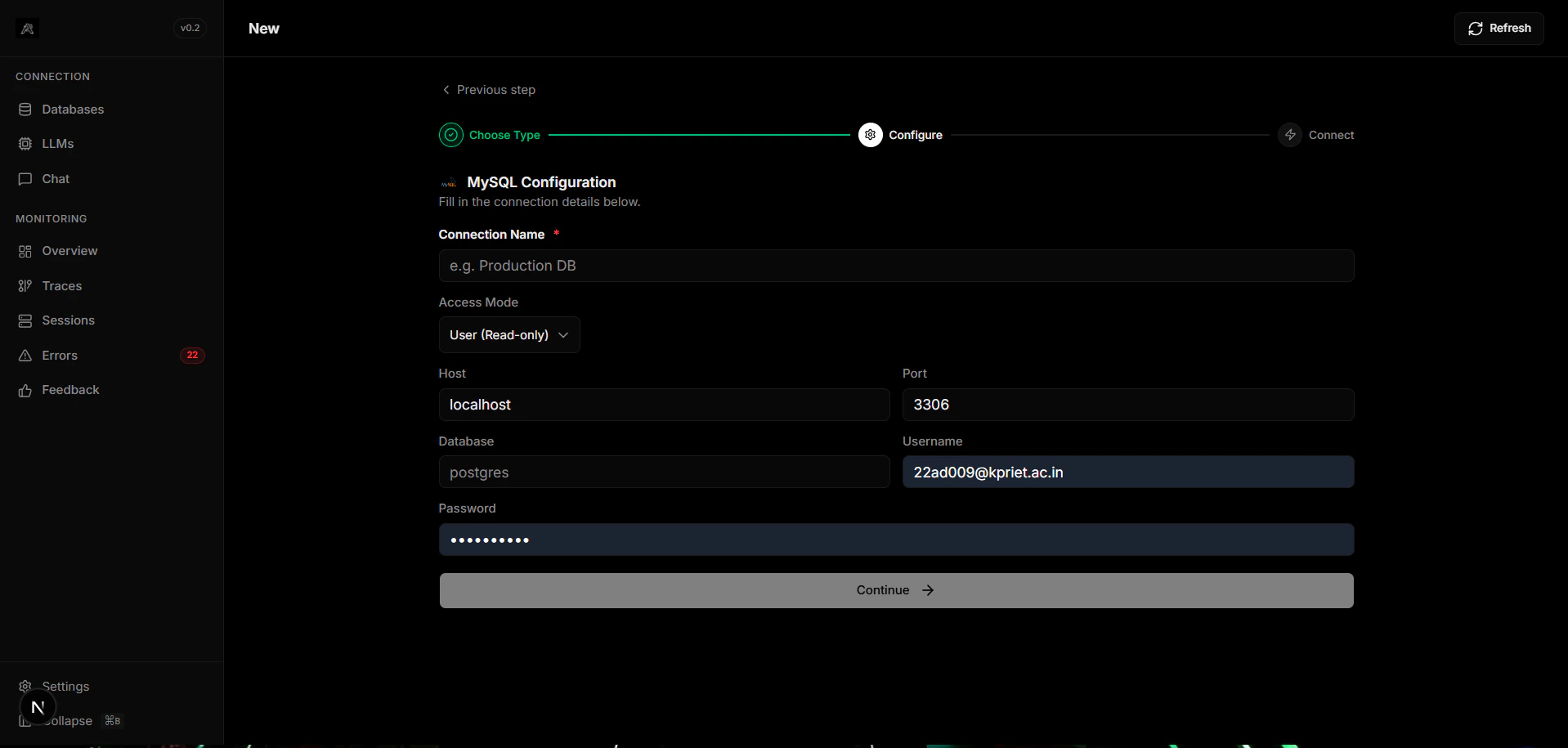
Ensure you have your MySQL connection string ready (user, password, host, and database name).
Provide your keys in Arivu's configuration or `.env` file:
```bash .env theme={null}
MYSQL_URI="mysql+pymysql://user:password@localhost:3306/db_name"
```
Ensure the host is accessible from the environment where Arivu is hosted.
## Overview
MySQL is a widely used open-source relational database management system (RDBMS) known for its reliability and performance. Arivu provides seamless integrations so you can manage your enterprise data with minimal footprint.
Exceptional read and write speeds for web-scale applications.
Massive ecosystem, standard SQL compliance, and strong community.
## Configuration
Ensure you have your MySQL connection string ready (user, password, host, and database name).
Provide your keys in Arivu's configuration or `.env` file:
```bash .env theme={null}
MYSQL_URI="mysql+pymysql://user:password@localhost:3306/db_name"
```
Ensure the host is accessible from the environment where Arivu is hosted.