> ## Documentation Index
> Fetch the complete documentation index at: https://arivu.mintlify.site/llms.txt
> Use this file to discover all available pages before exploring further.
# PostgreSQL
> Connect your advanced object-relational databases.
 ## Overview
PostgreSQL is a powerful, open-source object-relational database system with over 35 years of active development that has earned it a strong reputation for reliability, feature robustness, and performance.
Support for JSONB, arrays, and custom types out of the box.
Strict transactional integrity and concurrency control.
## Configuration
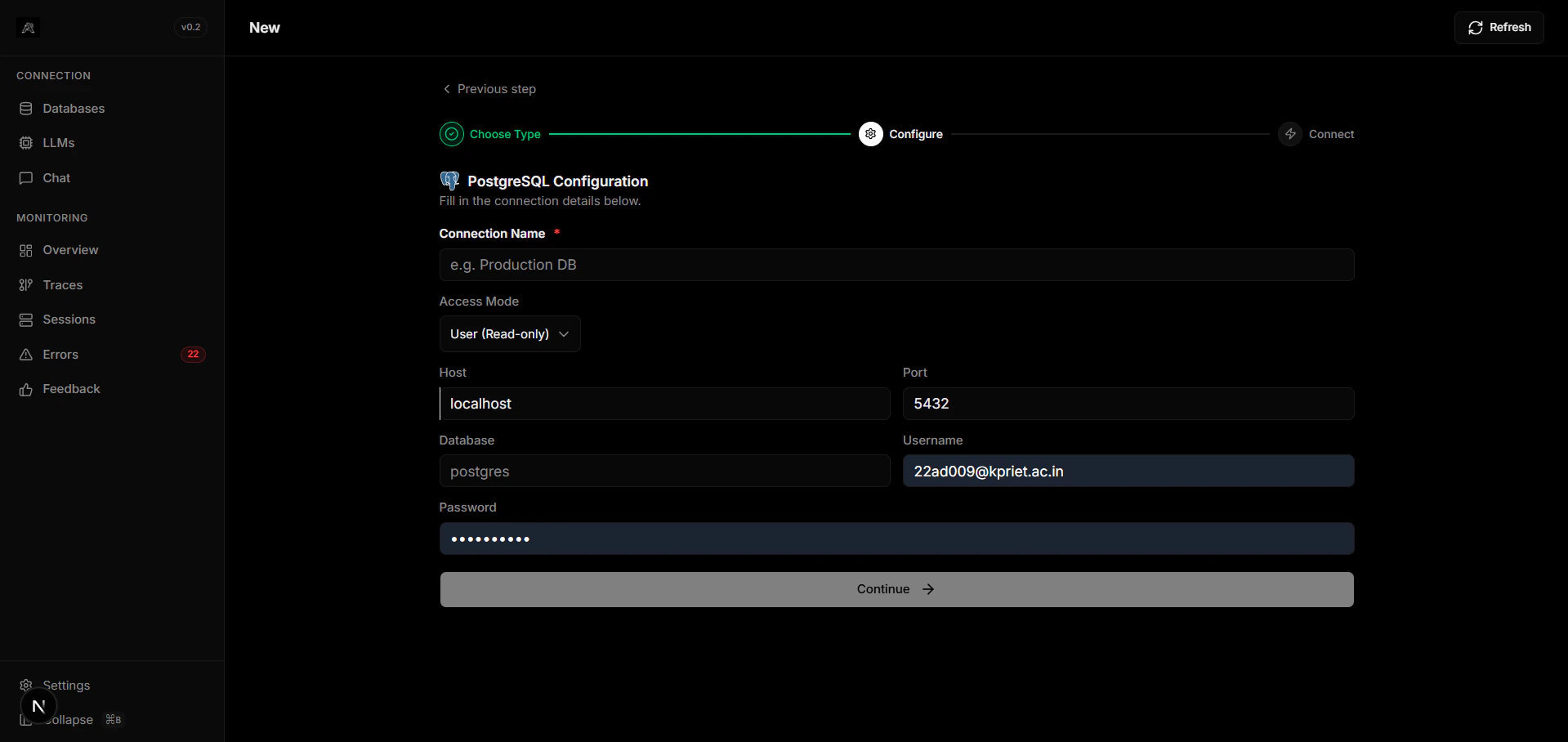
Generate your PostgreSQL connection URI. You will need your host, port, database name, user, and password.
Update your Arivu integration configuration:
```bash .env theme={null}
POSTGRES_URI="postgresql://username:password@localhost:5432/my_database"
```
Click the **Test Connection** button in the dashboard. If the indicator turns green, your database is securely linked.
For production deployments, carefully restrict connection pooling variables (like `max_connections`) to avoid database locking.
## Overview
PostgreSQL is a powerful, open-source object-relational database system with over 35 years of active development that has earned it a strong reputation for reliability, feature robustness, and performance.
Support for JSONB, arrays, and custom types out of the box.
Strict transactional integrity and concurrency control.
## Configuration
Generate your PostgreSQL connection URI. You will need your host, port, database name, user, and password.
Update your Arivu integration configuration:
```bash .env theme={null}
POSTGRES_URI="postgresql://username:password@localhost:5432/my_database"
```
Click the **Test Connection** button in the dashboard. If the indicator turns green, your database is securely linked.
For production deployments, carefully restrict connection pooling variables (like `max_connections`) to avoid database locking.