> ## Documentation Index
> Fetch the complete documentation index at: https://arivu.mintlify.site/llms.txt
> Use this file to discover all available pages before exploring further.
# SQLite
> Use SQLite for lightweight, serverless local databases.
 ## Overview
SQLite is a C-language library that implements a small, fast, self-contained, high-reliability, full-featured, SQL database engine. It is perfect for local testing and lightweight state storage.
No setup or administration needed.
Reads and writes directly to ordinary disk files.
## Configuration
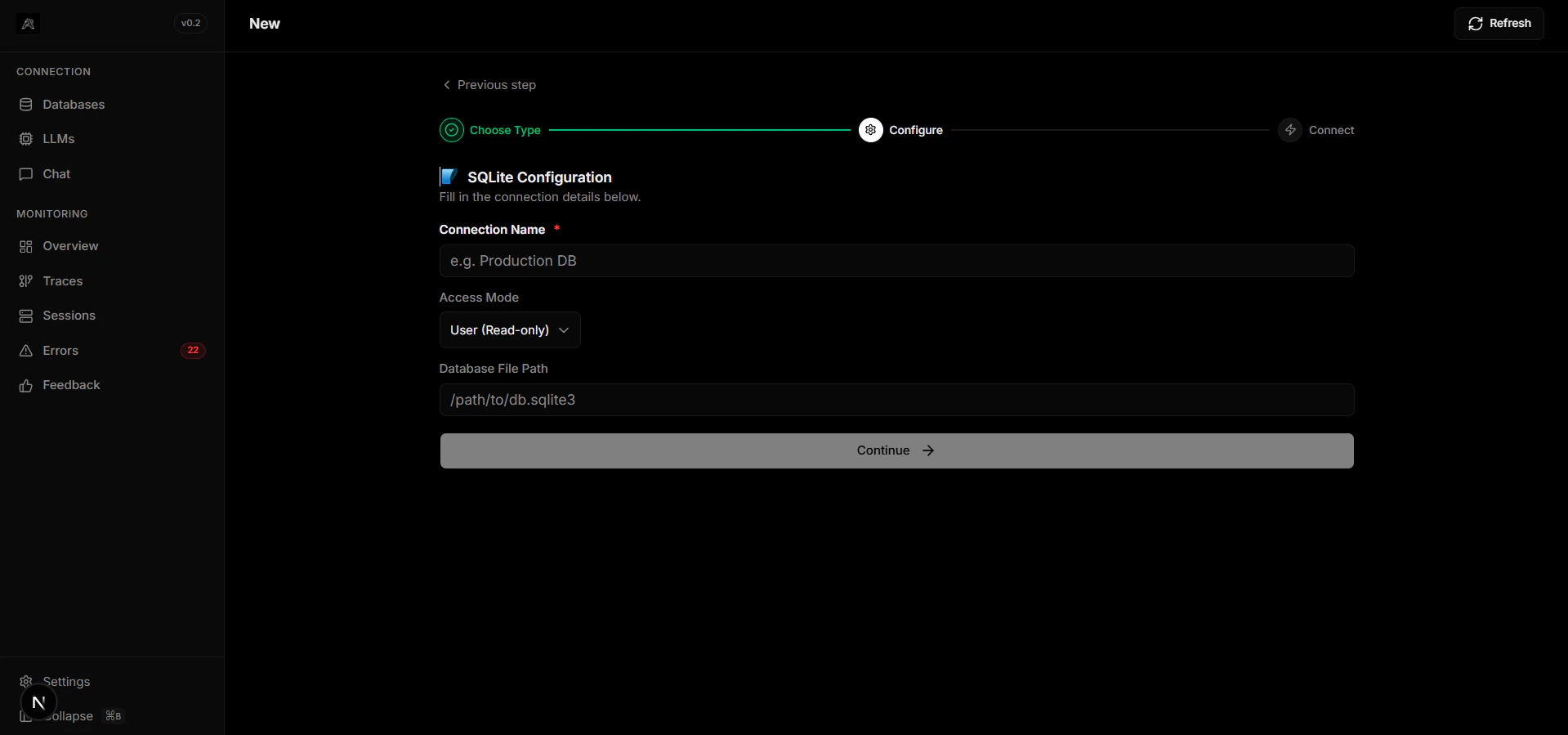
Decide where your database file will live (e.g., `data/local.db`).
Point Arivu to your database file:
```bash .env theme={null}
SQLITE_PATH="sqlite:///data/local.db"
```
SQLite is heavily restricted in concurrent write access. It is not recommended for heavy multi-user production applications.
## Overview
SQLite is a C-language library that implements a small, fast, self-contained, high-reliability, full-featured, SQL database engine. It is perfect for local testing and lightweight state storage.
No setup or administration needed.
Reads and writes directly to ordinary disk files.
## Configuration
Decide where your database file will live (e.g., `data/local.db`).
Point Arivu to your database file:
```bash .env theme={null}
SQLITE_PATH="sqlite:///data/local.db"
```
SQLite is heavily restricted in concurrent write access. It is not recommended for heavy multi-user production applications.