> ## Documentation Index
> Fetch the complete documentation index at: https://arivu.mintlify.site/llms.txt
> Use this file to discover all available pages before exploring further.
# DB Explorer
> Browse your database schema and preview table data natively.
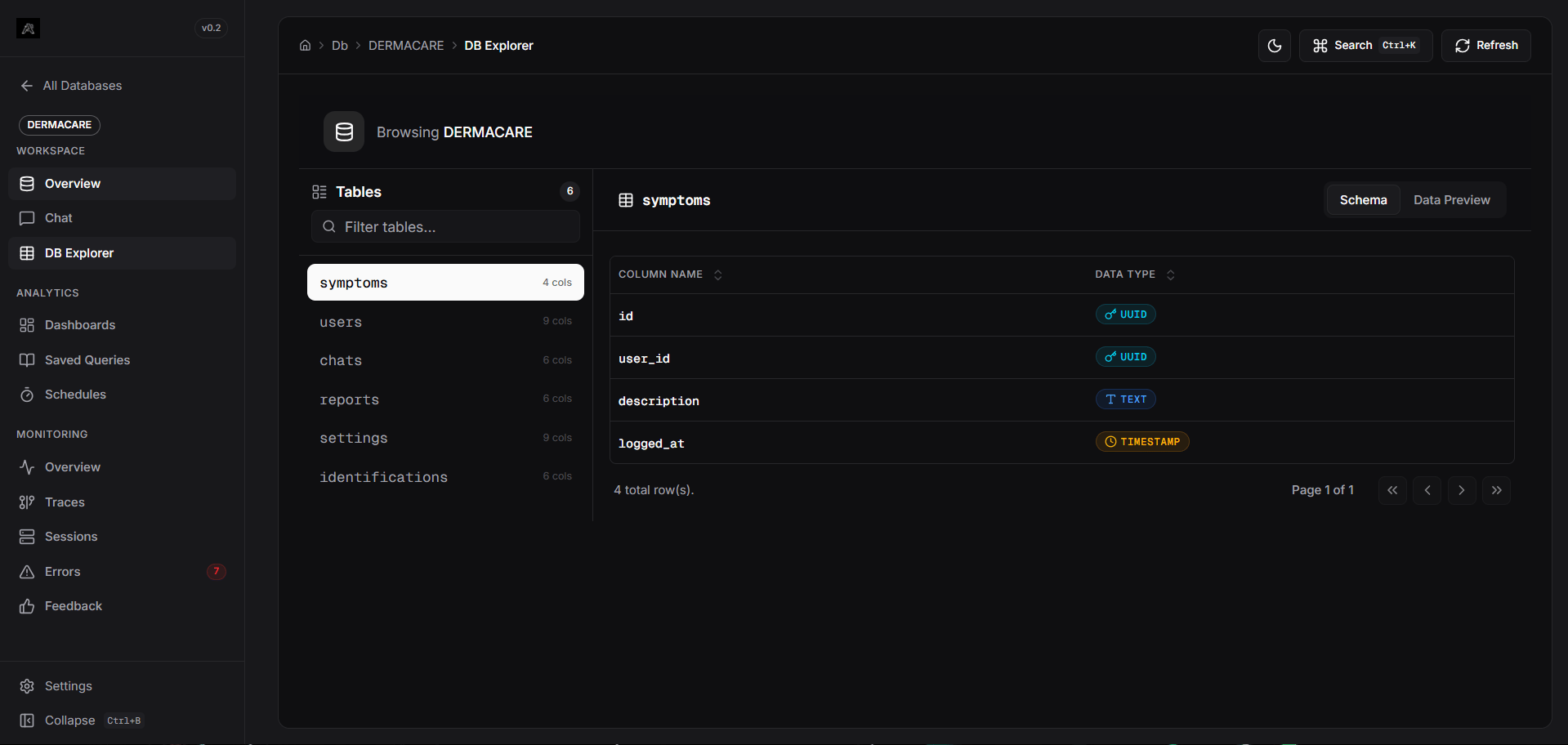 The **DB Explorer** is a built-in workspace tool that allows you to inspect the structure and contents of the database you are currently connected to. Since Arivu scopes features to individual database connections, the DB Explorer acts as your direct window into the specific schema you are working with.
## Features
View all tables in your database. Select a table to see its columns and data types.
Preview the actual raw data within tables directly in the browser.
Data types are color-coded with badges for easy identification (e.g., Numeric, Text, Date/Time).
Instantly filter the list of tables to find exactly what you're looking for.
## Navigating the Explorer
1. **Accessing the Explorer**: From within your database workspace, click on **DB Explorer** in the sidebar.
2. **Selecting a Table**: Use the search bar or scroll through the table list on the left pane. Clicking a table updates the main view.
3. **Schema View**: The default tab displays the column names and their corresponding SQL data types. This is incredibly useful when constructing manual charts or refining natural language queries.
4. **Data Preview Tab**: Switch to the **Data Preview** tab to see the live records. The view supports full horizontal scrolling, ensuring no columns are cut off or hidden.
The **DB Explorer** is a built-in workspace tool that allows you to inspect the structure and contents of the database you are currently connected to. Since Arivu scopes features to individual database connections, the DB Explorer acts as your direct window into the specific schema you are working with.
## Features
View all tables in your database. Select a table to see its columns and data types.
Preview the actual raw data within tables directly in the browser.
Data types are color-coded with badges for easy identification (e.g., Numeric, Text, Date/Time).
Instantly filter the list of tables to find exactly what you're looking for.
## Navigating the Explorer
1. **Accessing the Explorer**: From within your database workspace, click on **DB Explorer** in the sidebar.
2. **Selecting a Table**: Use the search bar or scroll through the table list on the left pane. Clicking a table updates the main view.
3. **Schema View**: The default tab displays the column names and their corresponding SQL data types. This is incredibly useful when constructing manual charts or refining natural language queries.
4. **Data Preview Tab**: Switch to the **Data Preview** tab to see the live records. The view supports full horizontal scrolling, ensuring no columns are cut off or hidden.