> ## Documentation Index
> Fetch the complete documentation index at: https://arivu.mintlify.site/llms.txt
> Use this file to discover all available pages before exploring further.
# Sessions and Chat History
> Deep visibility into user conversations and Arivu session states.
 ## Overview
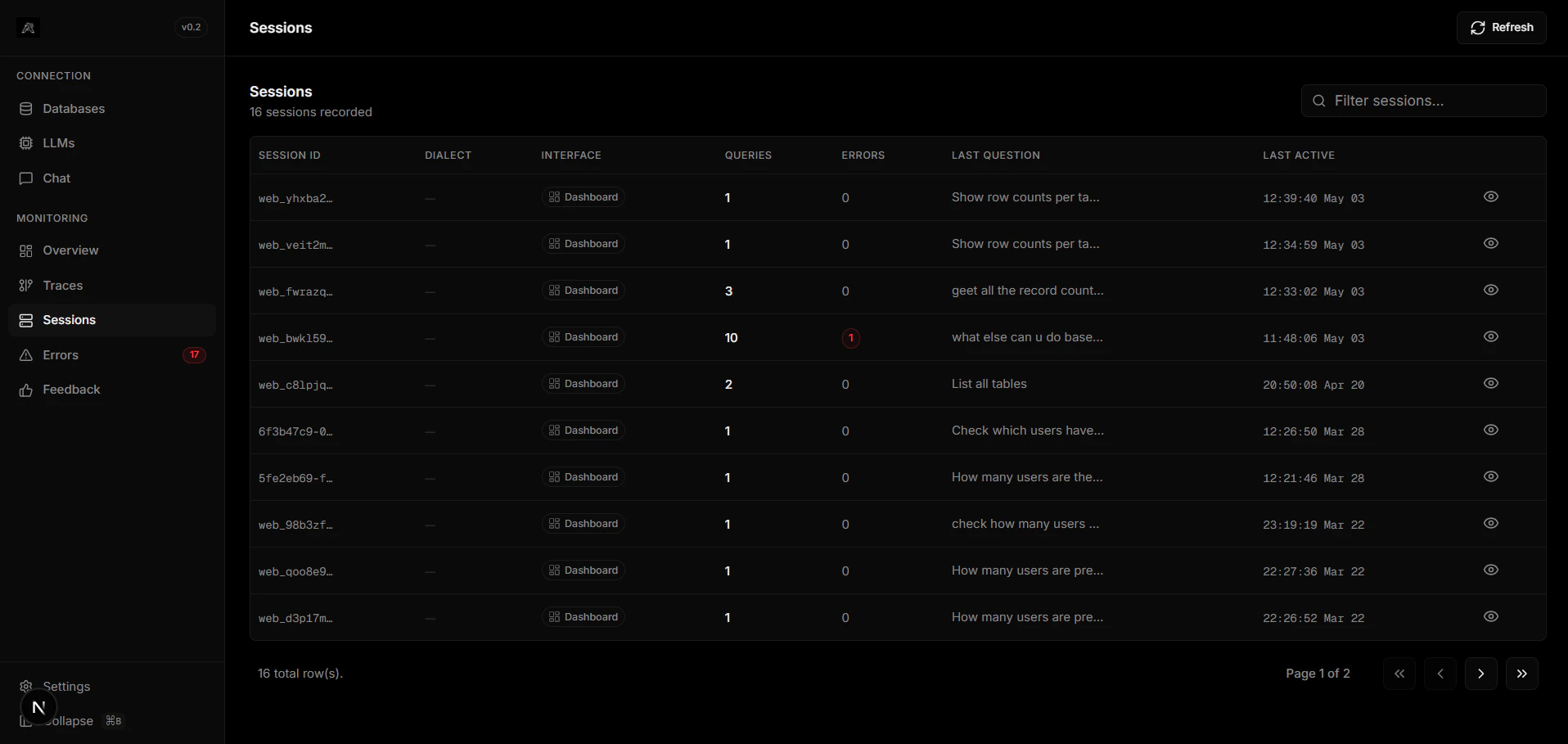
The Sessions tab aggregates all multi-turn conversations occurring across your integrated channels. It groups requests by `session_id`, making it effortless to trace user intent continuously over time.
Maintains isolated conversational context. No cross-contamination between users.
Review exact payloads received from Slack, Discord, Telegram, or WhatsApp.
## Session Details
## Overview
The Sessions tab aggregates all multi-turn conversations occurring across your integrated channels. It groups requests by `session_id`, making it effortless to trace user intent continuously over time.
Maintains isolated conversational context. No cross-contamination between users.
Review exact payloads received from Slack, Discord, Telegram, or WhatsApp.
## Session Details
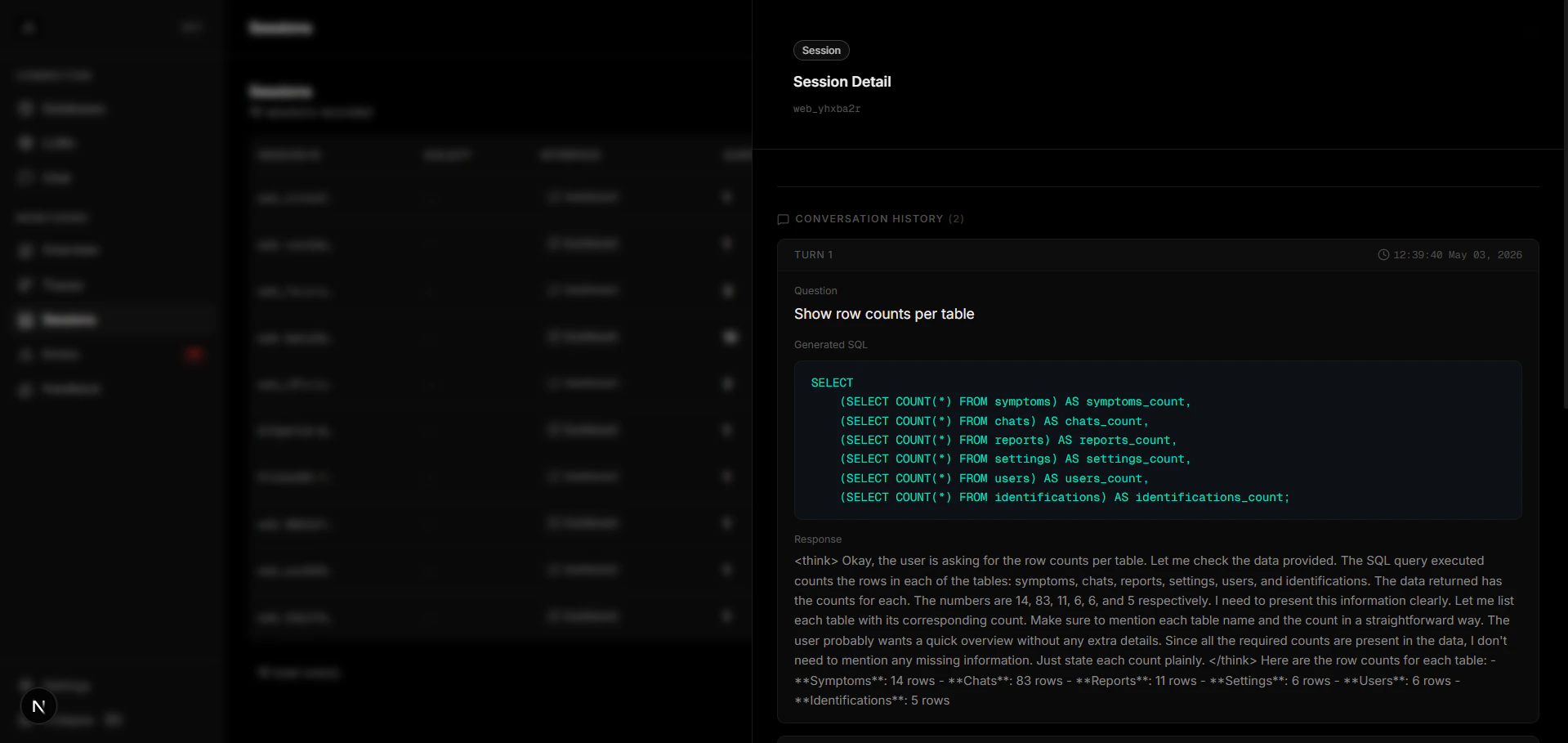 Click on any session row to open the **Session Drawer**, which shows:
* Full conversation history (question + SQL + response)
* Timestamps and latency metrics for each interaction
* RLHF signals attached to the session
* The database connection used
Use the search bar to filter sessions by keyword, date range, or integration channel.
Click on any session row to open the **Session Drawer**, which shows:
* Full conversation history (question + SQL + response)
* Timestamps and latency metrics for each interaction
* RLHF signals attached to the session
* The database connection used
Use the search bar to filter sessions by keyword, date range, or integration channel.