> ## Documentation Index
> Fetch the complete documentation index at: https://arivu.mintlify.site/llms.txt
> Use this file to discover all available pages before exploring further.
# Saved Queries
> Bookmark and manage your most valuable SQL queries.
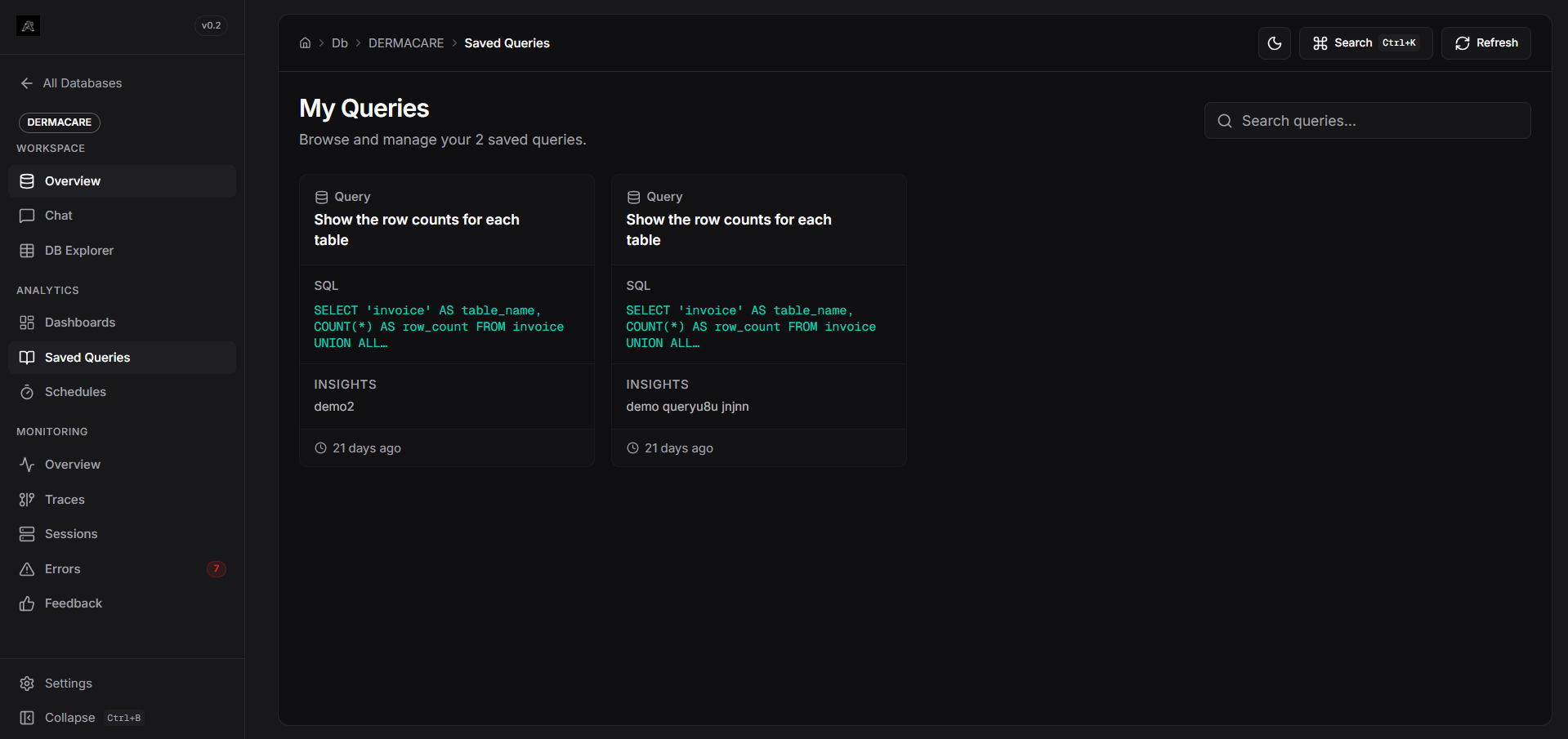 As you interact with Arivu's Chat interface, the LLM generates SQL queries to answer your questions. **Saved Queries** allows you to bookmark these generated queries so you don't lose the exact SQL that produced a perfect result.
## Managing Saved Queries
Access the **Saved Queries** section from your database workspace sidebar. This page acts as your personal query library for the active database.
The dashboard displays all your bookmarked queries as cards. Use the search bar to filter by the query's natural language question, the raw SQL, or your custom notes.
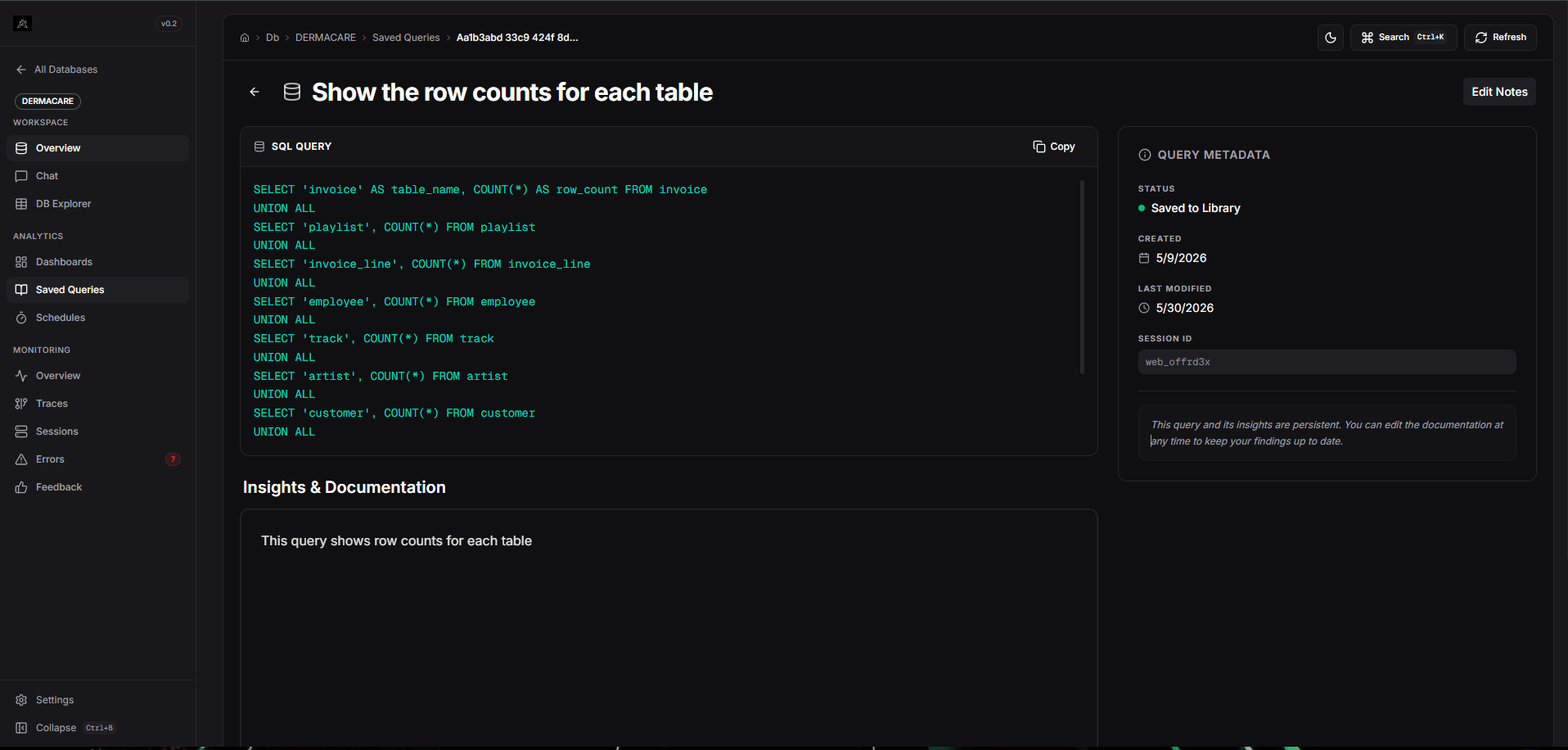
Clicking on a query card opens its detailed view, showing exactly what question was asked and what SQL was executed.
Each saved query has a Rich Text Editor attached. You can add context, documentation, or explanations for why this query is useful.
As you interact with Arivu's Chat interface, the LLM generates SQL queries to answer your questions. **Saved Queries** allows you to bookmark these generated queries so you don't lose the exact SQL that produced a perfect result.
## Managing Saved Queries
Access the **Saved Queries** section from your database workspace sidebar. This page acts as your personal query library for the active database.
The dashboard displays all your bookmarked queries as cards. Use the search bar to filter by the query's natural language question, the raw SQL, or your custom notes.
Clicking on a query card opens its detailed view, showing exactly what question was asked and what SQL was executed.
Each saved query has a Rich Text Editor attached. You can add context, documentation, or explanations for why this query is useful.
 ## Saving a Query
Queries are saved directly from the Chat interface.
1. Ask a question in the **Chat**.
2. Once the pipeline finishes and returns the SQL along with the data, look at the query response card.
3. Click the **Save (Bookmark)** icon on the card.
4. The query is instantly added to your Saved Queries library for that database.
## Saving a Query
Queries are saved directly from the Chat interface.
1. Ask a question in the **Chat**.
2. Once the pipeline finishes and returns the SQL along with the data, look at the query response card.
3. Click the **Save (Bookmark)** icon on the card.
4. The query is instantly added to your Saved Queries library for that database.