

Features
Schema Inspection
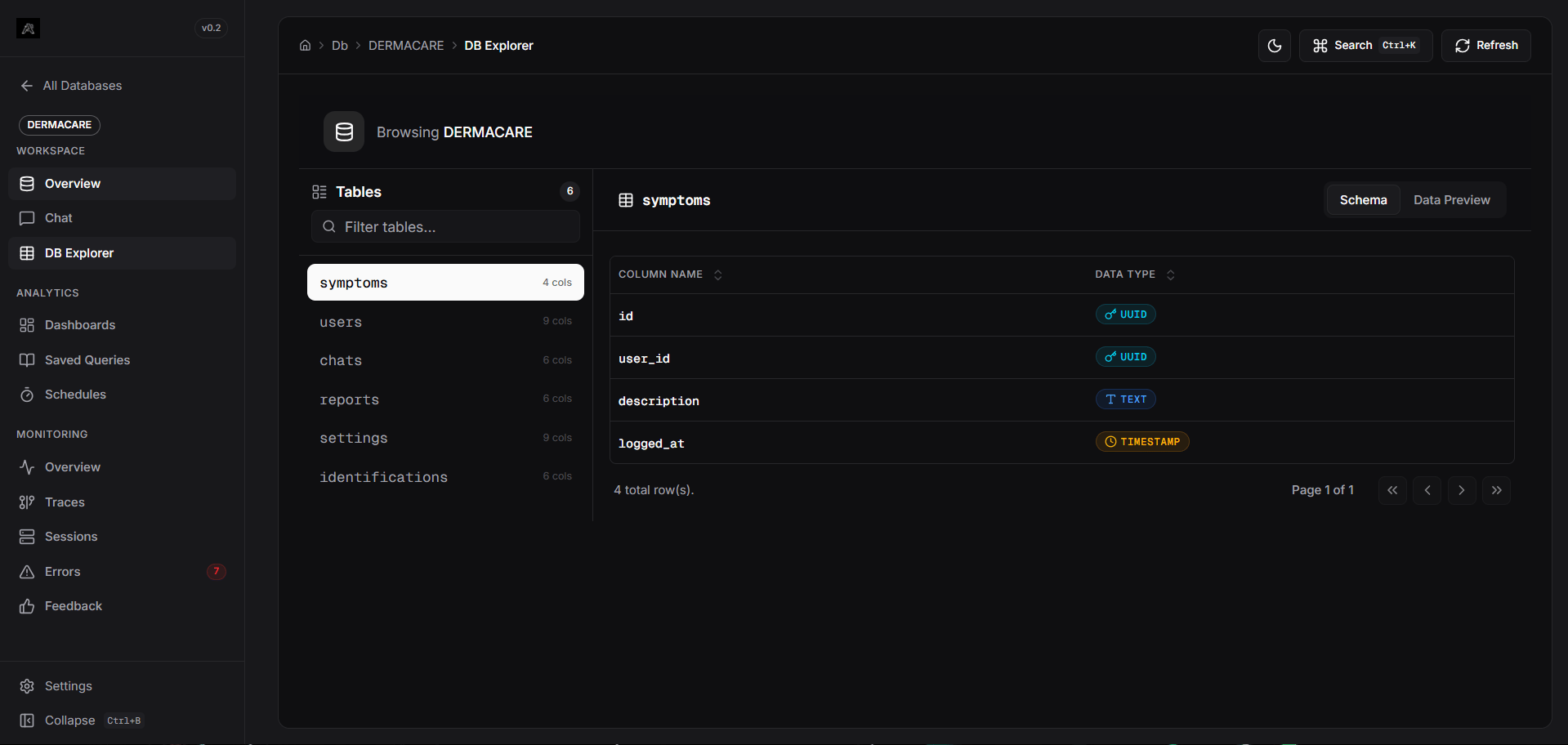
View all tables in your database. Select a table to see its columns and data types.
Data Preview
Preview the actual raw data within tables directly in the browser.
Type Visualization
Data types are color-coded with badges for easy identification (e.g., Numeric, Text, Date/Time).
Quick Filter
Instantly filter the list of tables to find exactly what you’re looking for.
Navigating the Explorer
- Accessing the Explorer: From within your database workspace, click on DB Explorer in the sidebar.
- Selecting a Table: Use the search bar or scroll through the table list on the left pane. Clicking a table updates the main view.
- Schema View: The default tab displays the column names and their corresponding SQL data types. This is incredibly useful when constructing manual charts or refining natural language queries.
- Data Preview Tab: Switch to the Data Preview tab to see the live records. The view supports full horizontal scrolling, ensuring no columns are cut off or hidden.