

Managing Saved Queries
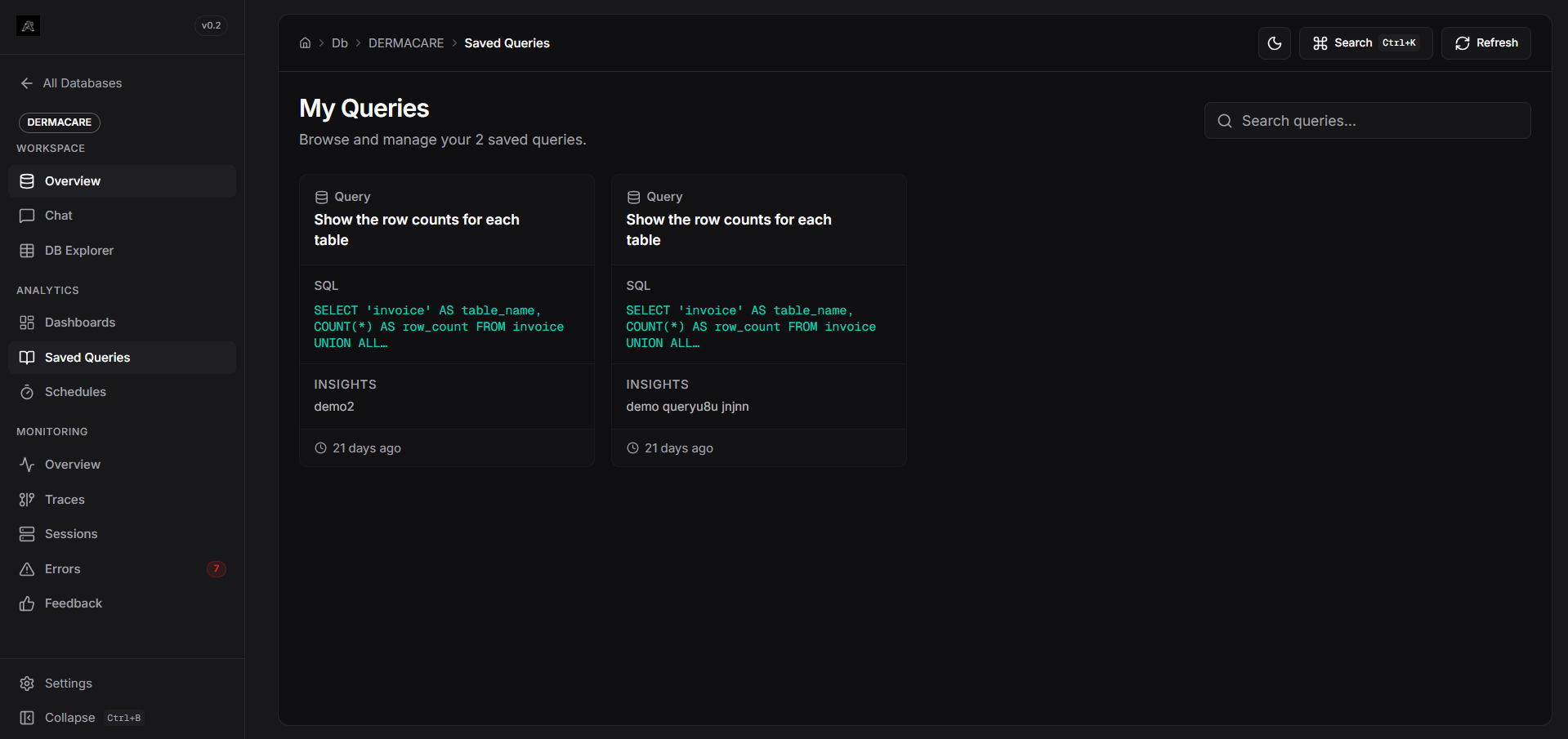
Access the Saved Queries section from your database workspace sidebar. This page acts as your personal query library for the active database.1
Browse & Search
The dashboard displays all your bookmarked queries as cards. Use the search bar to filter by the query’s natural language question, the raw SQL, or your custom notes.
2
View Details
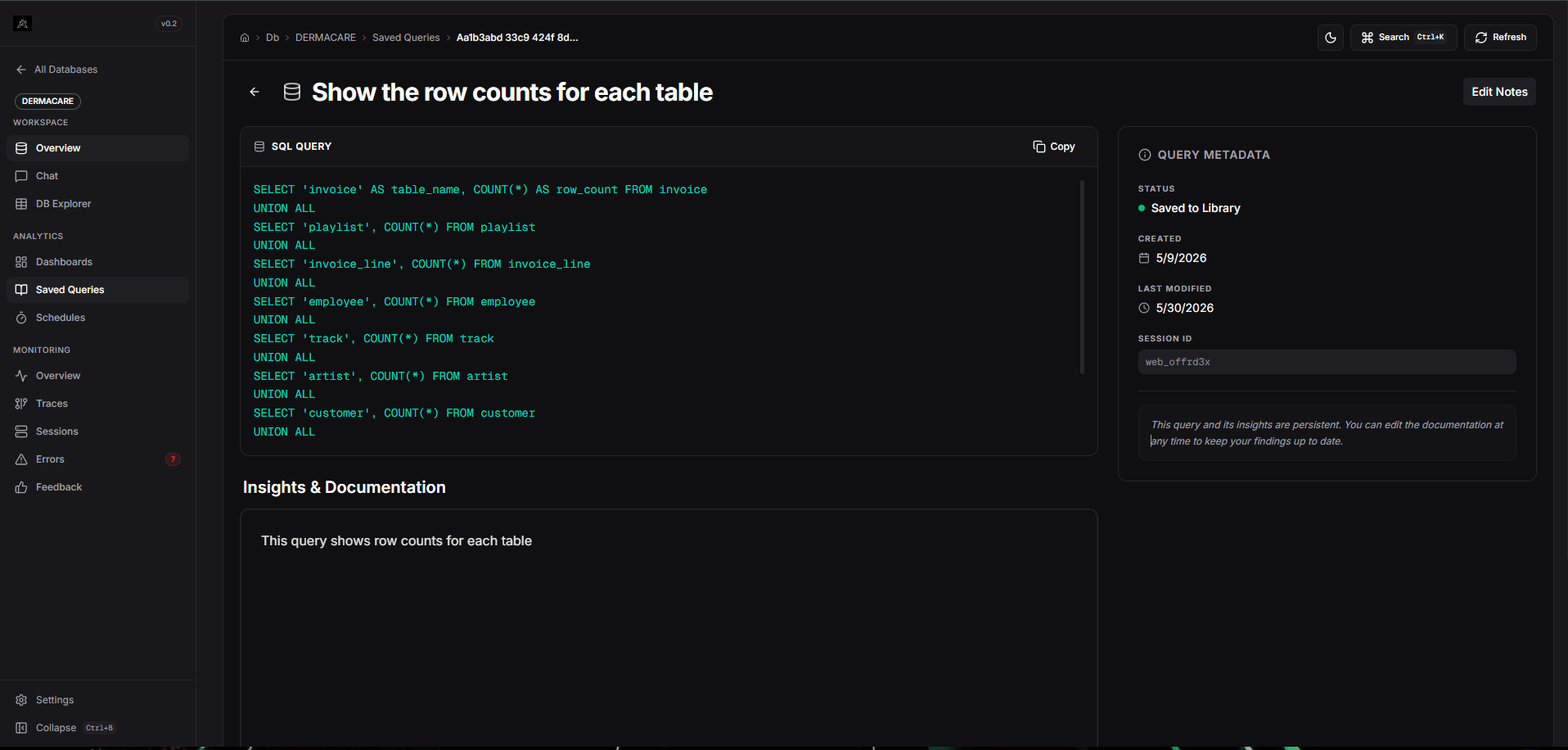
Clicking on a query card opens its detailed view, showing exactly what question was asked and what SQL was executed.
3
Add Notes
Each saved query has a Rich Text Editor attached. You can add context, documentation, or explanations for why this query is useful.
Saving a Query
Queries are saved directly from the Chat interface.- Ask a question in the Chat.
- Once the pipeline finishes and returns the SQL along with the data, look at the query response card.
- Click the Save (Bookmark) icon on the card.
- The query is instantly added to your Saved Queries library for that database.